
Most agencies already maintain their clients’ sites. They just don’t charge for it properly. Updates get done “while we’re in there,” a plugin conflict eats a Friday afternoon, and the client never sees any of it.
A maintenance plan fixes that. It turns invisible work into a predictable monthly line item, and it gives you a reason to talk to every client every month. But only if it’s packaged so clients understand it, priced so it makes money, and delivered without you hiring a second team.
This guide covers what to put in a WordPress maintenance plan, what to leave out, how to design tiers, how to price for margin (with a worked example), what response times you can safely promise, and what a monthly client report should contain. There’s a free, rebrandable report template too.
What white-label maintenance is (and what your agency still owns)
With white-label WordPress maintenance, a specialist team does the hands-on work: updates, backups, monitoring, fixes. You sell it under your brand. The client never deals with the partner.
What changes is who does the work. What doesn’t change is everything that makes the client yours:
- The relationship. You’re the one the client calls, emails and pays.
- The price. You set retail pricing; the partner charges you a wholesale rate.
- The decisions. Which plugins to keep, when to redesign, what’s worth fixing. Those are judgement calls you make with your client.
- The report. It goes out with your logo and your name on it.
That split is the whole point. You keep the margin and the client, and you hand off the part that doesn’t scale: routine technical work across dozens of sites. The same logic applies to builds: here’s what agencies can and can’t rebrand in a white-label Elementor project.
What to include: core tasks by frequency
A plan should read like a schedule, not a feature list. Clients understand “every week we update your plugins” better than “plugin management.” A solid baseline:
Daily or continuous
- Uptime monitoring with alerts
- Automated backups, stored off the server
- Security monitoring (on higher tiers)
Weekly
- WordPress core, theme and plugin updates, tested before they go live
- A quick visual check of key pages after updates
Monthly
- Database cleanup and optimization
- Performance check (page speed and Core Web Vitals)
- A set number of support hours for small fixes and content edits
- The client report
Quarterly or on request
- A deeper performance or security review
- A backup restore test, so you know the backups actually work
What to exclude, and how to word it in the contract
The fastest way to lose money on maintenance is an unclear scope. Spell out what isn’t included, in plain language, before anyone signs.
Typical exclusions:
- New features and redesigns. Maintenance keeps the site working; it doesn’t change what the site does. That work is quoted as a development project.
- Content entry beyond the included hours. Adding a page is fine; migrating a 200-post blog is a project.
- Third-party licence fees. Premium plugins, security software and SaaS tools are billed at cost, or the client pays the vendor directly.
- Malware cleanup on lower tiers. Include it on your top tier; quote it separately everywhere else.
- Hosting outages. You can monitor and escalate, but you can’t fix a data centre.
- Problems caused by others. Changes made by the client or another developer outside the plan are billed separately.
One sentence that saves arguments: “Work outside this scope is quoted separately before it starts.”
Also decide what happens to unused hours. Many providers, WPDone included, don’t roll them over to the next month. That keeps capacity planning predictable. Whatever you choose, write it down.
Hosting vs maintenance: bundle it, resell it, or leave it with the client
Hosting and maintenance are different products, and mixing them up causes most billing confusion. You have three options:
- Bundle it. One price covers hosting and care. Simple for the client, but your margin now depends on hosting costs, and moving hosts becomes a pricing conversation.
- Resell it with a markup. Hosting appears as its own line. Clear, but you’re now the client’s hosting support desk.
- Leave it with the client. The client owns the hosting account and you get access. The least risk for you, and the cleanest if the relationship ever ends.
Whichever you pick, settle two things up front: who pays for licences and who owns the credentials. The client should always own their domain and hosting account, even when you manage them.
Designing three tiers clients can tell apart
Three tiers is the norm because it works: one for small brochure sites, one for business sites that matter, one for sites where downtime costs real money.
The rule that makes tiers sell: each step up should change something the client can see. Three good levers:
- Support hours (for example 2, 5 and 15 a month)
- Response priority (normal tickets, priority, emergency)
- Depth of care (monitoring only, then performance reports, then active optimization and malware cleanup)
Avoid tiers that differ only in things clients can’t evaluate, like “advanced database optimization.” If they can’t see the difference, they’ll buy the cheapest one.
For reference, here’s how WPDone’s maintenance plans are structured (prices per site):
| Essential | Pro | Ultra | |
|---|---|---|---|
| Monthly, no contract | $149 | $329 | $569 |
| Annual contract (per month) | $110 | $245 | $425 |
| Support hours per month | 2 | 5 | 15 |
| What’s added | Weekly updates, backups, uptime monitoring, monthly report | + performance audit, security monitoring, Zoom and priority support | + performance optimization, malware cleanup, Core Web Vitals monitoring, emergency support |
How much agencies charge: the market
Published maintenance prices vary widely, and most “average price” figures you’ll find online don’t name a source. One useful public reference: Codeable lists its own maintenance plans at $240, $590 and “starting at $1,000” a month (March 2026).
Rather than copying someone else’s number, price from your own costs and the value to the client:
- Your cost per site: the partner’s wholesale price, your tools, and your own account-management time.
- The client’s cost of a problem: a store losing orders during downtime will pay more than a five-page brochure site.
- The margin you need: recurring revenue is only worth having if it’s profitable every month, not just on paper.
Margin math: a worked example
Here’s one way to run the numbers. The retail price, fees and time below are assumptions for illustration. Swap in your own.
Scenario: an agency resells WPDone’s Pro plan on an annual contract to 15 client sites.
| Item | Per site, per month | 15 sites, per month |
|---|---|---|
| Retail price to the client (assumption) | $349.00 | $5,235.00 |
| Wholesale cost: Pro annual $245, less the 25% volume discount for 11–20 sites | −$183.75 | −$2,756.25 |
| Payment processing, about 3% (assumption) | −$10.47 | −$157.05 |
| Your account management: 30 minutes at $60/hour (assumption) | −$30.00 | −$450.00 |
| What’s left | $124.78 | $1,871.70 |
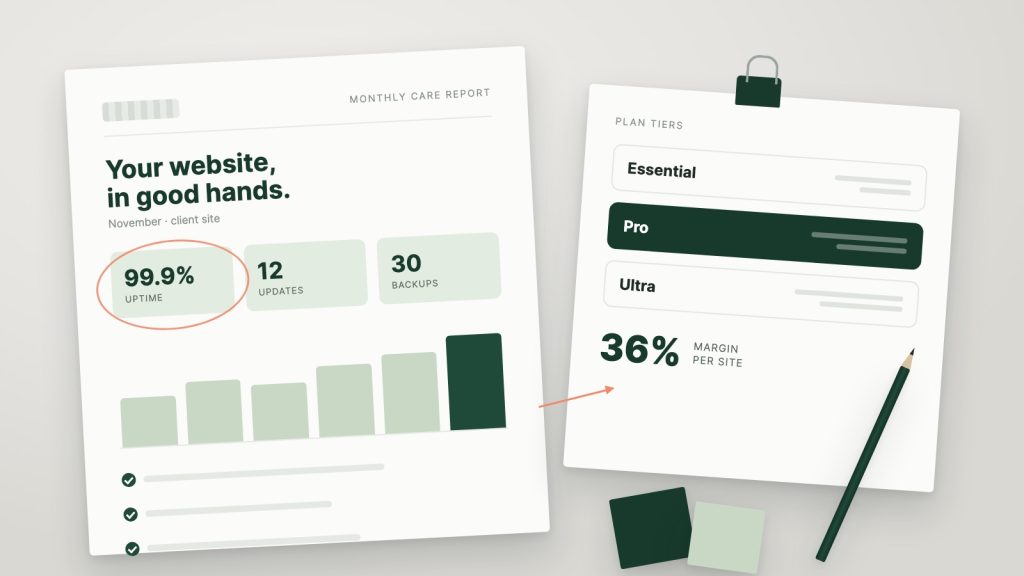
That’s about 36% of revenue after delivery, fees and your own time. It’s predictable, too: the same 15 sites produce the same contribution next month.
Three things move this number most:
- Volume. WPDone’s volume discount (20% at 5–10 sites, 25% at 11–20, 30% at 21+) applies on top of annual pricing, taken off the annual price. Growing from 10 to 21 sites changes your cost per site, not just your total.
- Overage. Included hours don’t roll over, so decide in advance how you’ll bill extra work. Quote it as a small project or charge your hourly rate. Don’t absorb it.
- Churn. Losing one client a quarter erases a lot of margin. The monthly report is your best retention tool (see below).
A quick formula to run your own numbers: Monthly margin = sites × (retail − wholesale − fees − your time per site)
Response times you can actually promise
Response-time promises are where white-label maintenance goes wrong most often. You’re promising something on your partner’s behalf. Three rules:
- Separate “we’ve seen it” from “it’s fixed.” An acknowledgement time is easy to guarantee; a resolution time depends on the problem.
- Define an emergency. “The site is down” or “checkout is broken” is an emergency. “The button is the wrong blue” isn’t.
- Never promise more than your partner commits to. If your partner commits to an emergency response within 2 hours on its top tier, and “as soon as possible” for regular tickets, that’s the ceiling for what you can put in writing. (That’s WPDone’s own wording: emergency support “within 2 hours” on Ultra.)
Also state business hours with a time zone. “Business hours” means something different to a client in Los Angeles and a partner in Europe.
What goes in a white-label monthly client report
The report is the product clients actually see. A good one takes two minutes to read and answers one question: “Is my site in good hands?”
Sections that work:
- Summary. Three lines: the site is up, it’s updated, and here’s the one thing we recommend.
- Updates applied. Core, theme and plugins, with versions.
- Backups. How many, where they’re stored, and the date of the last restore test.
- Uptime. The percentage for the month, plus any incidents and how they were resolved.
- Security. Scans run and threats blocked, in plain language.
- Speed. Page speed and Core Web Vitals, compared with last month.
- Support hours. Used vs included, and what they were spent on.
- Recommendations. One to three next steps. This is where upsells come from.
What to leave out: raw logs, long lists of blocked IPs, and technical warnings that need no action. They worry clients without helping them.
On branding: the report should carry your logo, your colours and your name as the sender. The partner’s name shouldn’t appear anywhere.
Free template
We’ve put these eight sections into a rebrandable monthly client report you can copy and use. Get the WordPress maintenance report template (it makes a copy in your Google Drive), or preview it first.
Onboarding checklist for a new maintenance client
Most maintenance problems start in the first week. Run this checklist before you take responsibility for a site:
- Access: admin login, hosting, DNS, and any third-party services (CDN, email, payments)
- Inventory: WordPress version, PHP version, theme, every plugin and its licence status
- A baseline backup, stored off the server, before you change anything
- A baseline speed test, so next month’s report has a “before”
- A staging site for testing updates
- Custom code: where it lives and who wrote it
- Known issues the client already lives with, recorded so they don’t become your fault
- Scope sign-off: the client confirms what’s included and excluded, in writing
If the site’s history is unknown, start with a professional website review before you take it on. If your team built the site, your design-to-WordPress handoff checklist covers half of this already.
Choosing a white-label partner: questions to ask
If you’d rather not build a maintenance team, ask any partner:
- Do you test updates before applying them, and how?
- Where are backups stored, and how often do you test a restore?
- What response times do you commit to in writing, per plan?
- What happens to unused hours?
- Will my clients ever see your name, in emails, reports or admin screens?
- How do volume and annual discounts work together?
- What’s excluded, and how is extra work quoted?
At WPDone, we’ve delivered 600+ WordPress projects for 300+ agencies and freelancers. WPDone’s white-label maintenance is built for exactly this model: we do the work, and you keep the client and the credit.
FAQ
How much should an agency charge for WordPress maintenance?
Price from your cost per site (partner fee, tools and your own time) plus the value of uptime to the client. As a public reference point, Codeable lists its plans from $240 a month. Run the margin formula above with your own numbers before you publish prices.
Should maintenance include hosting?
It can, but keep them as separate line items if you can. It keeps your margin clear and makes moving hosts easier. Either way, the client should own the hosting account.
Do unused support hours roll over?
It depends on the provider. Many, including WPDone, don’t roll them over, which keeps capacity predictable. Put your rule in the contract.
Can volume discounts and annual pricing be combined?
With some providers, yes. At WPDone, the volume discount is taken off the annual price. For example, Pro on an annual contract at 11–20 sites comes to $183.75 per site per month.
What should a maintenance report include?
A short summary, the updates applied, backups, uptime, security, speed, support hours used, and one to three recommendations. Skip raw logs.
Want this run under your brand?
We handle the updates, backups, monitoring and fixes. You keep the client, the price and the credit. Or get an estimate for a specific project.

